The technician goes straight to the equipment.
The route is calculated in the digital model of the building and recalibrated at every light passed. On site, the technician has the right record in front of them, and the supervisor sees what they see.
- Status
- On demonstration
- Where to see it
- LUXLINK 3D monitoring, on demonstration
- Who it is for
- Maintenance, operations, facilities
What?
Before any job, you have to find it.
On the ground
The technician arrives with a plan that is rarely up to date. They look for the right room, the right floor, the right access hatch. The maintenance software describes the equipment, but does not know whether the technician is standing in front of the right one.
With LUXWAVE
LUXWAVE places the technician in the digital model of the building. The route guides them step by step to the equipment, and every light they pass resets their position, with no drift and no wrong floor.
- Step by stepA route calculated in the model, from the entrance hall to the equipment.
- On the right floorThe position comes from the lighting: it does not drift and does not get the floor wrong.
- In tandemThe supervisor follows the job on the 3D plan and can point out an element to the technician.
How?
Your digital model, the lighting, a phone.
The technician wears a badge and uses their phone. The supervisor follows them on the 3D plan, sees what is in front of them and can point out an element in the model: it appears straight away on the technician’s phone, with its record. The model is loaded in IFC format, the exchange format for digital building models.

The hardware
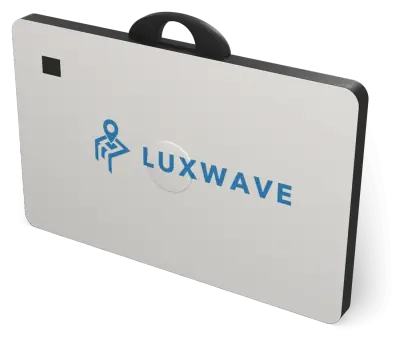
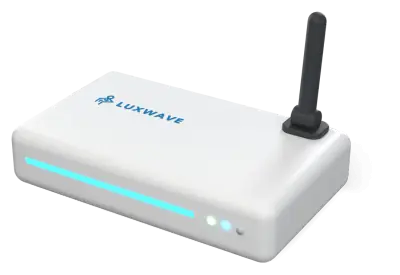
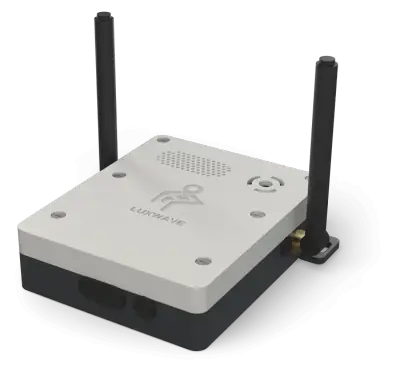 On demonstrationPoint ServiceIn the luminaire, as a retrofit or in new build. It emits the zone’s address.


Project economics
- Low investmentNo anchors, no data cabling: the Point Service fits inside the luminaire.
- Quick commissioningThe lighting plan is already the zone plan. Nothing to calibrate room by room.
- Very little maintenanceEach Point Service is powered by the lighting.
- Reduced operating costsOne subscription per device, offered by our lighting and integrator partners.
- A fast paybackControlled lighting reduces the energy bill and pays for the infrastructure.
Why?
Found, not searched for.
- A direct routeEven for a contractor who is new to the site.
- The right equipment, on the right floorThe position comes from the light: no wrong floor, no wrong room.
- The expert, remotelyThe supervisor supports the technician without travelling to site.
- A recorded jobThe visit to the equipment is dated and linked to the work order.
What you measure from day one.
- Travel time to the equipment
- Jobs supported remotely
- Presence at the equipment
- Job duration
Sectors
Guide, sector by sector.
- Buildings and infrastructureFrom the entrance hall to the plant room, in the building’s digital model.
- Industry and energyTo the equipment, across large sites.
- HealthcareTechnical services and biomedical engineering, across floors.
- Mining and undergroundTo the broken-down machine, on the right level.
Other uses: LocateProtectCertifySave energy
What next?
See the light at work.
A demonstration on site or remotely, based on your lighting plans.